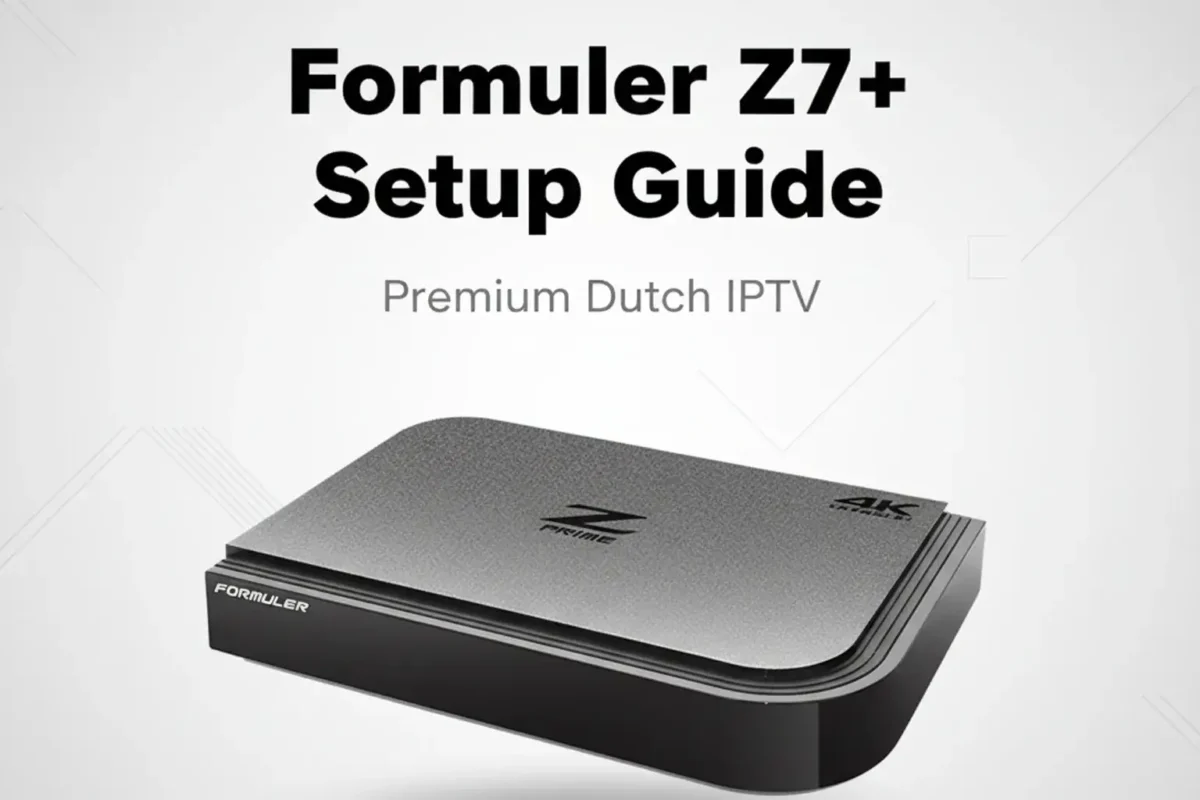
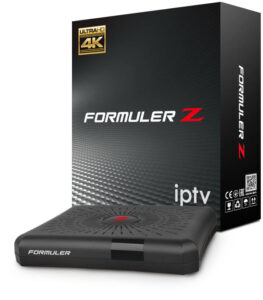
De Formuler Z7+ en andere Formuler Z7 apparaten draaien op het Android-besturingssysteem. Dit betekent dat je toegang hebt tot alle apps die beschikbaar zijn voor Android. Toch zijn Formuler boxen extra populair dankzij de speciale IPTV-app MyTV Online, die standaard op het apparaat is geïnstalleerd.
Met MyTV Online kun je eenvoudig je IPTV Nederland abonnement koppelen via een MAC-adres en Portal URL, vergelijkbaar met MAG-apparaten (Stalker). In deze Formuler Z7+ installatiehandleiding laten we je stap voor stap zien hoe je jouw Premium Dutch IPTV abonnement installeert.
Installing IPTV on Formuler Z7+
⏱ Time required: approximately 4 minutes
Stap 1: Zoek je MAC-adres
Open Kodi and select the Add-ons menu.
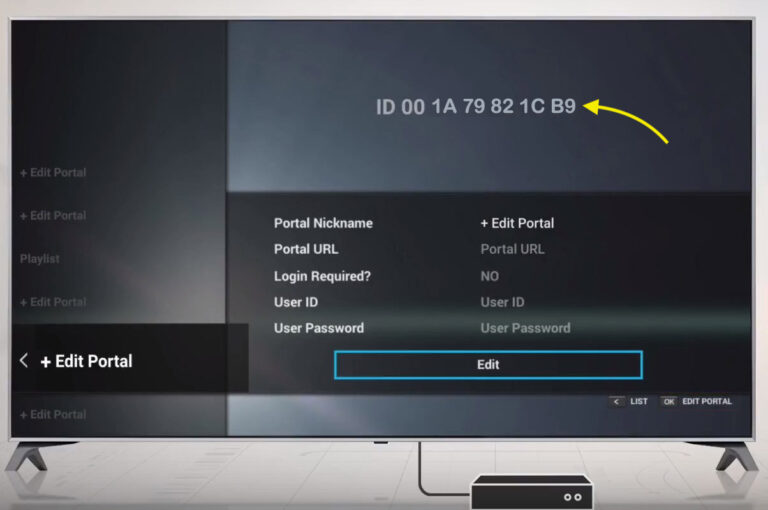
Open the app MyTV Online. At the top of the section ID do you find yourself MAC address. 👉 You must provide this MAC address to your IPTV-provider or enter it yourself in your IPTV dashboard (MAG section).
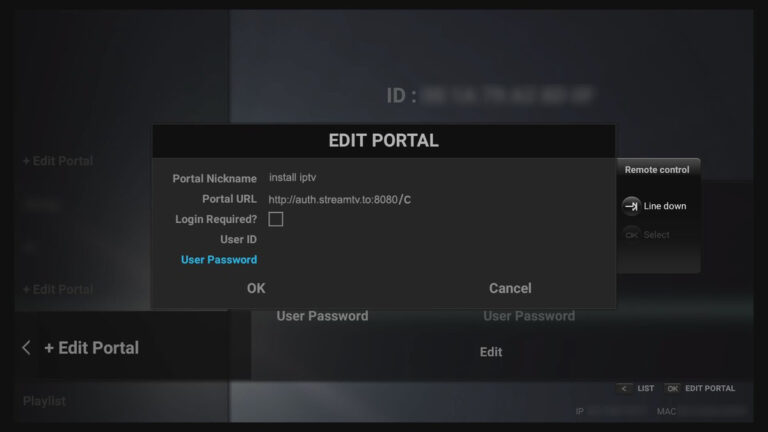
Enter the Portal URL in which you Premium Dutch IPTV Subscription have received.
After saving, the connection is established and you have access to thousands of TV channels, VOD, and series through your Dutch IPTV subscription.
Frequently asked questions (FAQ)
1. Does this manual only work for Formuler Z7+?
No, this installation manual is suitable for all devices in the Formuler Z7 series.
2. What information do I need to install IPTV?
You will need your MAC address and the Portal URL that you receive with your Premium IPTV Netherlands subscription.
3. Can I use other IPTV players?
Yes, in addition to MyTV Online, you can use apps such as IPTV Smarters Pro, TiviMate, or Kodi. However, we recommend using the built-in MyTV Online app for Formuler Z7+ as standard.
🎉 Special offer at Premium Dutch IPTV
Wil jij direct starten met de beste Dutch IPTV ervaring? Profiteer nu van exclusieve kortingen op onze abonnementen: 1, 3, 6 of 12 maanden.
✅+42,000 TV channels & +125,000 VOD ✅ Reliable IPTV Netherlands service ✅ 24/7 support ✅ Best value for money IPTV subscription