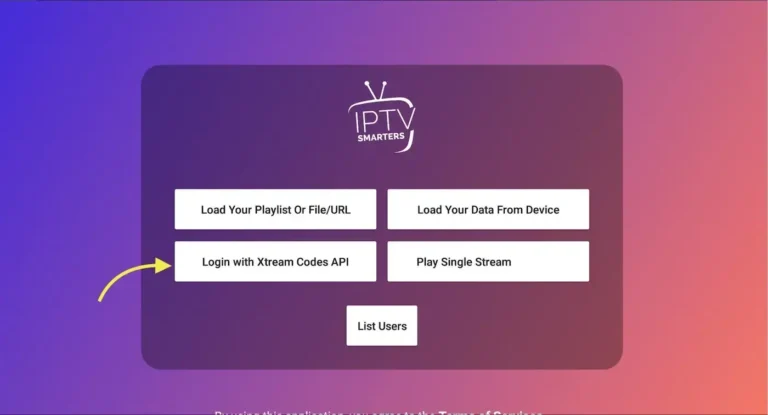
Open the applicatie en kies de methode waarmee je de lijst wilt toevoegen. Wij raden aan om Xtream Codes API te gebruiken, omdat dit door meer dan 95% van de IPTV providers Nederland wordt ondersteund.
Step 2: Enter Xtream data
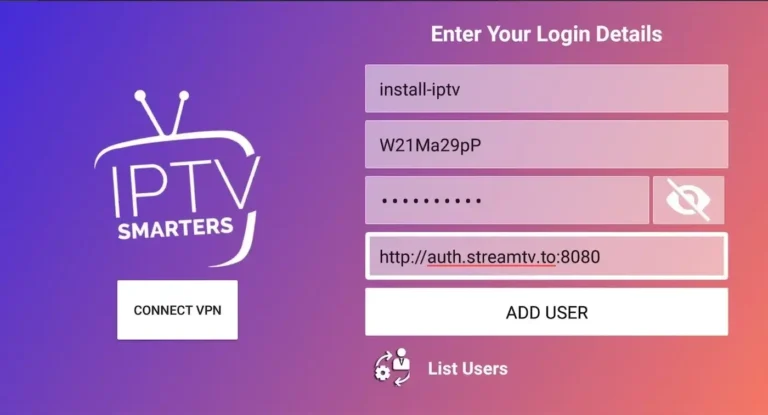
Choose a name for your list (this can be random). Then enter your Xtream Codes username, password, and server URL, as provided by your IPTV subscription Netherlands. Then click ADD USER.
💡 Tip: you can also extract the Xtream Codes API data from your M3U link (see the FAQ).
Step 3: You are logged in
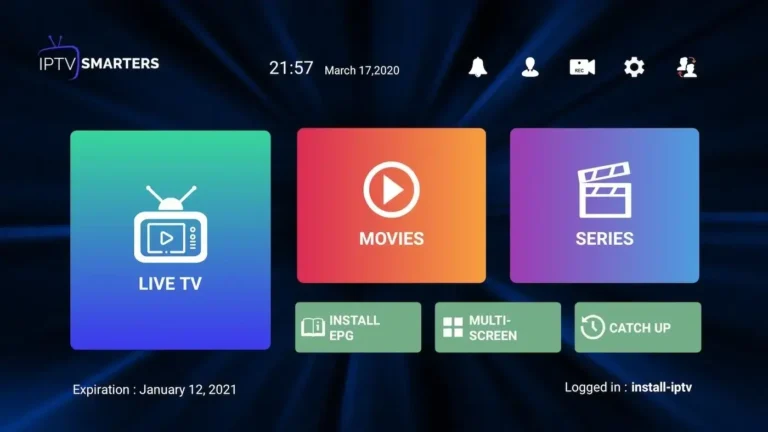
Congratulations! You are now successfully logged in to IPTV Smarters Pro. From here, you can watch Live TV, VOD, and series via your Premium Dutch IPTV subscription.
Frequently asked questions (FAQ)
How do I find Xtream Codes data?
The Xtream Codes API contains three elements: Server URL, Username, and Password. You can obtain this information from the M3U link of your IPTV subscription Netherlands.
How do I install IPTV Smarters Pro on Fire TV / Fire Stick?
Volg de onderstaande stappen om IPTV Smarters Pro te installeren op je Fire TV of Fire Stick:
Install the Downloader app on your Amazon Fire TV.
Ga naar Instellingen → Apparaat → Ontwikkelaarsopties, en zet Apps van onbekende bronnen op AAN.
Open the Downloader app and type the download URL of IPTV Smarters Pro APK in the white field.
👉 Met deze eenvoudige handleiding gebruik je IPTV Smarters Pro om zonder moeite je favoriete kanalen, films en series te streamen via je Premium Dutch IPTV abonnement. Dit is de ideale keuze voor iedereen die op zoek is naar de beste IPTV Netherlands ervaring.
🎉 Exclusive discount at Premium Dutch IPTV:
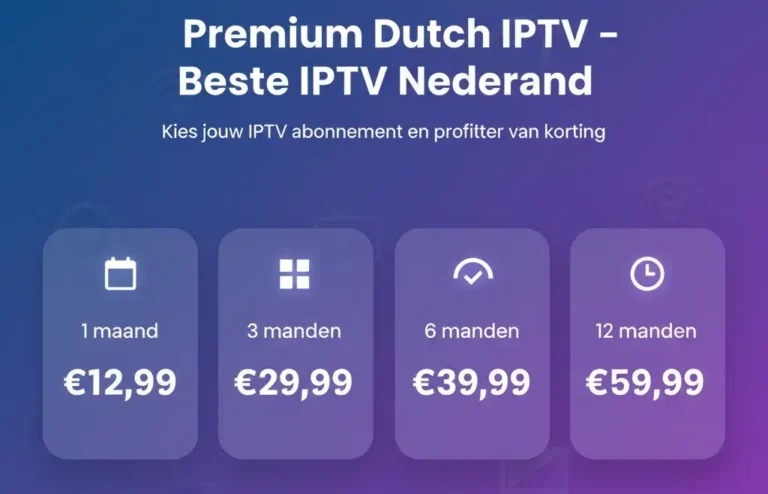
Don't miss this opportunity! Choose your IPTV subscription for the Netherlands (1, 3, 6, or 12 months) and take advantage of special discounts now. ✔ Reliable service ✔ 24/7 support ✔ Best IPTV Netherlands experience