TiviMate is one of the most popular IPTV apps for Android TV, thanks to its modern interface, ease of use, and stable performance. In this guide, we explain step by step how to install TiviMate and add IPTV via Premium Dutch IPTV.
Download and install TiviMate Player from the Google Play Store on your Android TV.
Step 2: Add a playlist
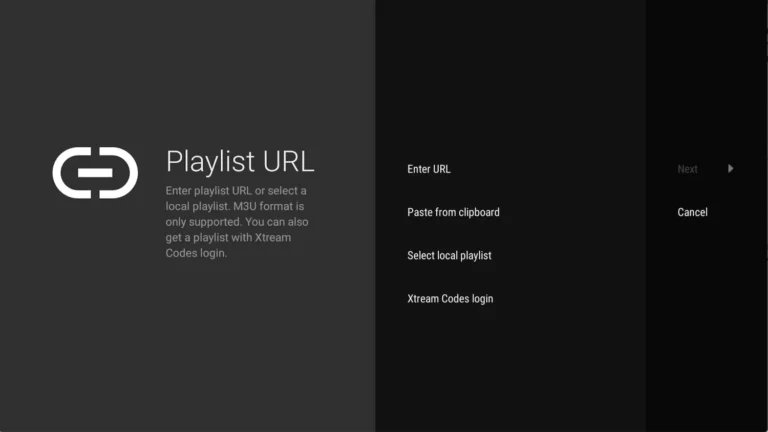
Open the app en selecteer ‘ADD PLAYLIST’. Je kunt kiezen uit:
M3U link (local file).
Remote playlist (enter URL).
Xtream Codes Login (recommended method).
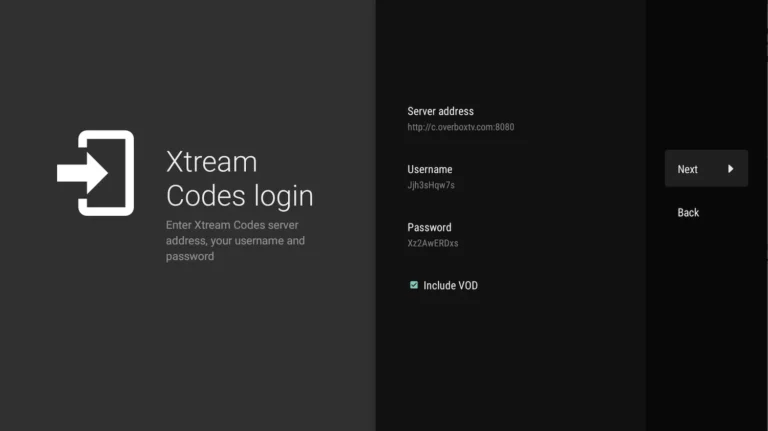
Step 3: Use Xtream Codes login
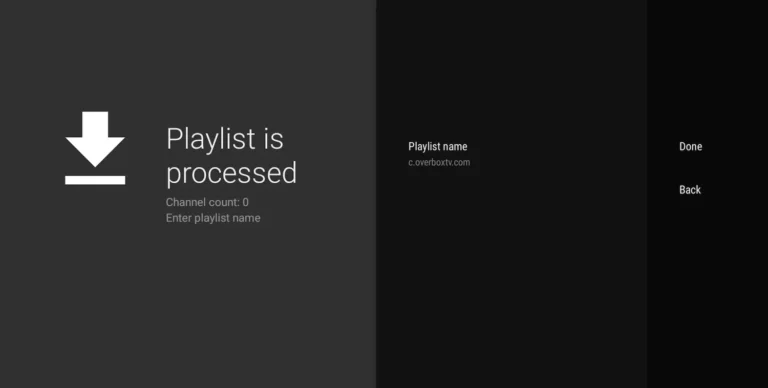
Select Xtream Codes Login and enter the details you received from your IPTV provider.
For Premium Dutch IPTV, you will receive this immediately after ordering.
Tips for optimal use of TiviMate
Use a stable internet connection for smooth streaming.
Add your favorite channels for quick access.
Check regularly to see if an update for the app is available.
Premium Dutch IPTV – Best choice for TiviMate
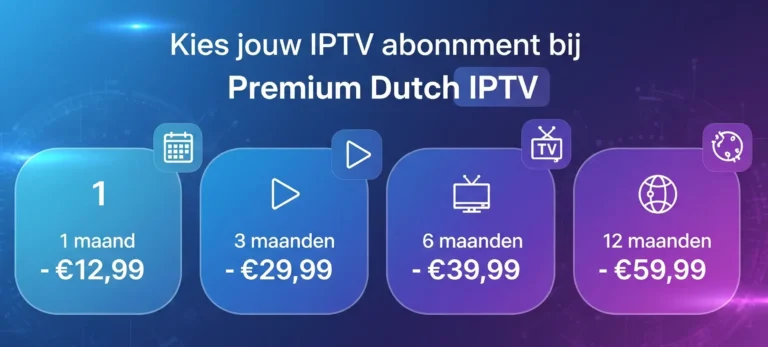
Our IPTV-abonnementen werken naadloos samen met TiviMate Player. Of je nu kiest voor 1 maand om te testen, of direct een 12 maanden abonnement wilt, je krijgt altijd: